Chord discovery for Ableton Live
Great chords.
One click.
No keyboard skills. No music theory. Roll a progression from thousands of possibilities, press a single note, and Live plays the whole chord through any instrument — ready to record straight into a clip.
v0.1 beta · macOS · Ableton Live with Max for Live

Pick a style, or hit the dice to roll a new progression.
Roll
Hit the dice. Chord Roller pulls a progression from thousands of options, in key and ready to play.
Play one note
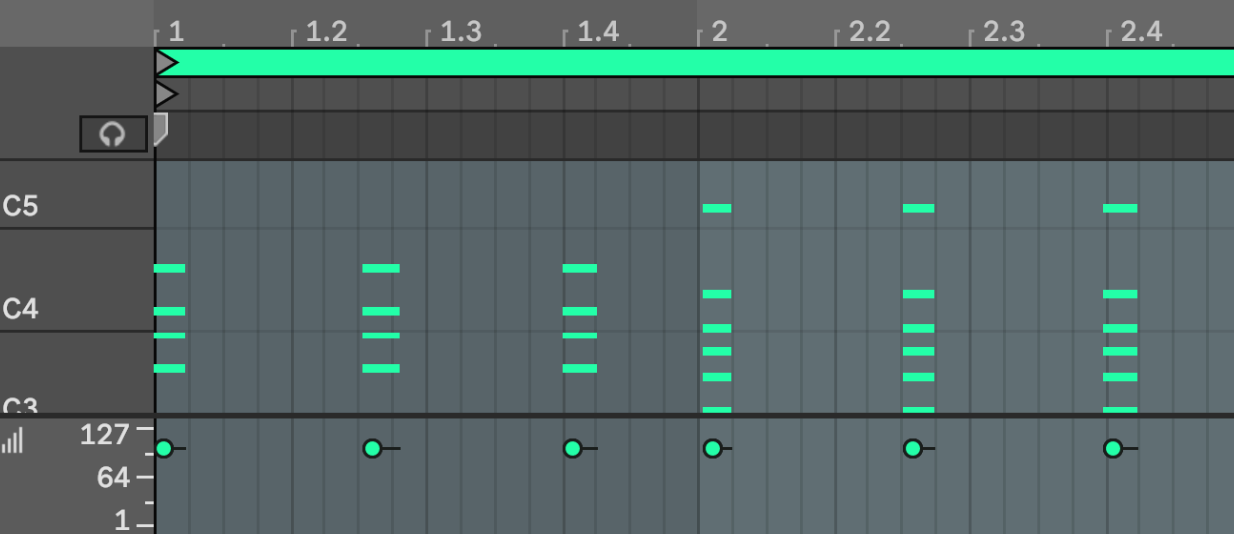
Each chord lives on a single key. Press it and Live plays the full, voiced chord through your instrument. Hit record and it lands in a clip like you played it yourself.
Lock and roll again
Like the key or the vibe? Lock it. Every roll after that keeps what you locked and reshuffles the rest.
Lock what you love. Roll the rest.
Every part of a chord has a lock. Pin the key your song is in, a genre like Neo Soul, a variation like Lush, and the dice only reshuffle what's left. Random when you want surprises, focused when you know what you're after.

Almost perfect? Edit it.
Tap the pencil and any progression becomes yours to shape. Pick a chord you want to change and Chord Roller offers alternatives that fit where it sits — richer sevenths, borrowed colour, a smoother move into the next chord.
Want the progression to go somewhere new? Add a chord and get suggestions chosen for how they'll sound after what you already have. Click once to hear it in the loop, click again to keep it.


You don't need to play piano to write beautiful harmony.
Great chord progressions shouldn't be locked behind years of lessons. Chord Roller does the theory for you: which chords go together, how to voice them, how to move from one to the next.
All you do is press one note at a time. Chord Roller plays the full chord inside Live, through whatever instrument is on the track, and Live records it as ordinary MIDI. Roll, play, hit record — it's the fastest way from an empty clip to a progression you're proud of.
Chord discovery, made simple.
Roll the dice
One click gives you a fresh progression. Lock the key, genre or variation to steer every roll toward your track.
Always in key
Pick a key and a mood, or don't. Every chord is chosen to belong with the others, so nothing sounds wrong.
Songs you already know
Browse progressions from well-known songs and play the same changes as the records you love.
One note, whole chord
Press one key and the full chord plays — spread and voiced the way a pianist would. Record it straight into Live like any other take.
Instant movement
Turn any chord into an arpeggio, strum, stab or pulse, locked to your tempo. A part in seconds, not hours.
Save and print
Save favourites to your own library, or print a progression straight to a MIDI clip and edit it like any other part.
Chords that move.
Once you've found your chords, the Expression tab brings them to life. Pick a style and a held chord becomes a rhythmic part that follows your tempo — and plays the same way every time, so the part you liked is the part you get.
Every setting has a lock too, so the dice can roll a fresh feel while keeping the rate or groove you chose.


More expressions
- Stabs
- Pulse
- Broken
- Strum
- Offbeat
- Sparse
- Bass
Print it. Make it yours.
When a progression feels right, print it. Chord Roller writes the real notes — expression and all — into a new MIDI clip on any track in your set, named after the progression. From there it's just MIDI: nudge a note, change a voicing, cut a bar, drag it into another project.
Your next progression is one click away.
Requires Ableton Live with Max for Live on macOS (Apple silicon or Intel).
Help shape Chord Roller.
It's early days, and every message gets read. Tell me what you love, what you'd like next or what broke.
jason@bytejelly.com